Gemini AI or Claude AI? And How to Complete the System Using Krea AI for Boosted Productivity
AI tools have undergone a radical transformation in how digital tasks are managed, as the world has moved from the phase of being impressed by a “one-model-does-it-all” approach to a more mature phase that relies on building smart production chains (AI Workflows). The question today is no longer a dilemma between Gemini AI or Claude AI or “Which is the absolute best tool?”, but rather: “How do you integrate the right tool at the right stage to achieve the highest quality in the shortest time?”
Relying on a single text model and stopping at the comparison of Gemini AI or Claude AI, or settling for a single design tool, limits the capabilities of content creators and developers. A successful production system requires functional diversity: a tool specialized in data collection and real-time network connectivity, a tool excelling in analytical formulation and programming depth, and a third tool focused on visual innovation and instant generation.
1. Claude AI in Deciding Between Gemini AI or Claude AI: The Analytical Mind and Deep Content Creator
Claude AI, developed by Anthropic, is the preferred choice for professionals seeking extreme precision in handling complex texts and deep analysis, far from the superficiality or verbal repetition that some other models may fall into.
Key Strengths and Advantages:
- Compensating for large texts: The model features a giant context window that allows you to upload entire books, legal contracts, or large software files and review them intelligently without forgetting the initial details.
- Fluent Human-like Drafting: Claude avoids dry, robotic writing. It presents balanced text with strong linguistic structure and natural vocabulary, resembling the style of an expert human writer, which reduces the need for re-editing.
- Programming Prowess and Code Structuring: It represents an ideal environment for programmers, as it can analyze vulnerabilities, refactor code, and explain programming logic step-by-step.
When to Rely on It?
Make Claude your primary choice when drafting detailed reports, writing in-depth articles, reviewing official and legal documents, or when writing complex code that requires sequential logical thinking.
2. Gemini AI in the Gemini AI or Claude AI Competition: The Real-time Engine Connected to the Google Ecosystem
On the other hand, Google Gemini stands out as a formidable force thanks to its powerful engine directly linked to the latest databases of the famous search engine, in addition to seamless integration with the Google Workspace environment.
Key Strengths and Advantages:
- Direct and Live Network Connection: Gemini has the ability to fetch the latest news, information, and data as it happens, eliminating the problem of limited historical knowledge in some tools.
- Full Integration with Daily Tools: It works flexibly within the Google application ecosystem, allowing you to direct it to access your documents on Google Docs, summarize your Gmail, or extract tables from Google Sheets.
- Multimodal Processing: It has a superior ability to read images and accurately summarize YouTube videos with the extraction of timestamps for key points within the video.
When to Rely on It?
Rely on Gemini in the initial research phases, gathering live data from the web, summarizing long video clips, or managing daily tasks that require linking between your documents and the Google cloud.
3. Krea AI: A Revolution in Real-time Visual Generation and Editing
After completing the textual and analytical aspects, it’s time for the visual element that makes a difference in the consumer or reader experience. Here, Krea AI takes center stage as one of the most innovative platforms in AI-powered design.
Reasons for Excellence and Innovation:
- Real-Time Generation: Unlike traditional generation platforms that require waiting several seconds or minutes for an image to appear, Krea allows you to draw simple lines or move elements on the screen, and the high-definition image changes before your eyes in the same millisecond.
- Enhancer & Upscaler Feature: The tool has an amazing processing engine capable of transforming low-quality or blurry images into ultra-high-definition (HD/4K) images, adding realistic details to textures and lighting without sacrificing original features.
- Full Control over Style and Composition: It allows designers to combine multiple visual styles and precisely define lighting and camera angles, making it a professional tool for innovators, not just a random image generation tool.
When to Rely on It?
Use Krea AI when you need to create a visual identity, generate illustrative images for articles, or enhance the quality of old designs and visual marketing materials to approach cinematic quality.
Read also: AI Video Production Guide: Latest Tools and Techniques for Creating Professional Visual Content
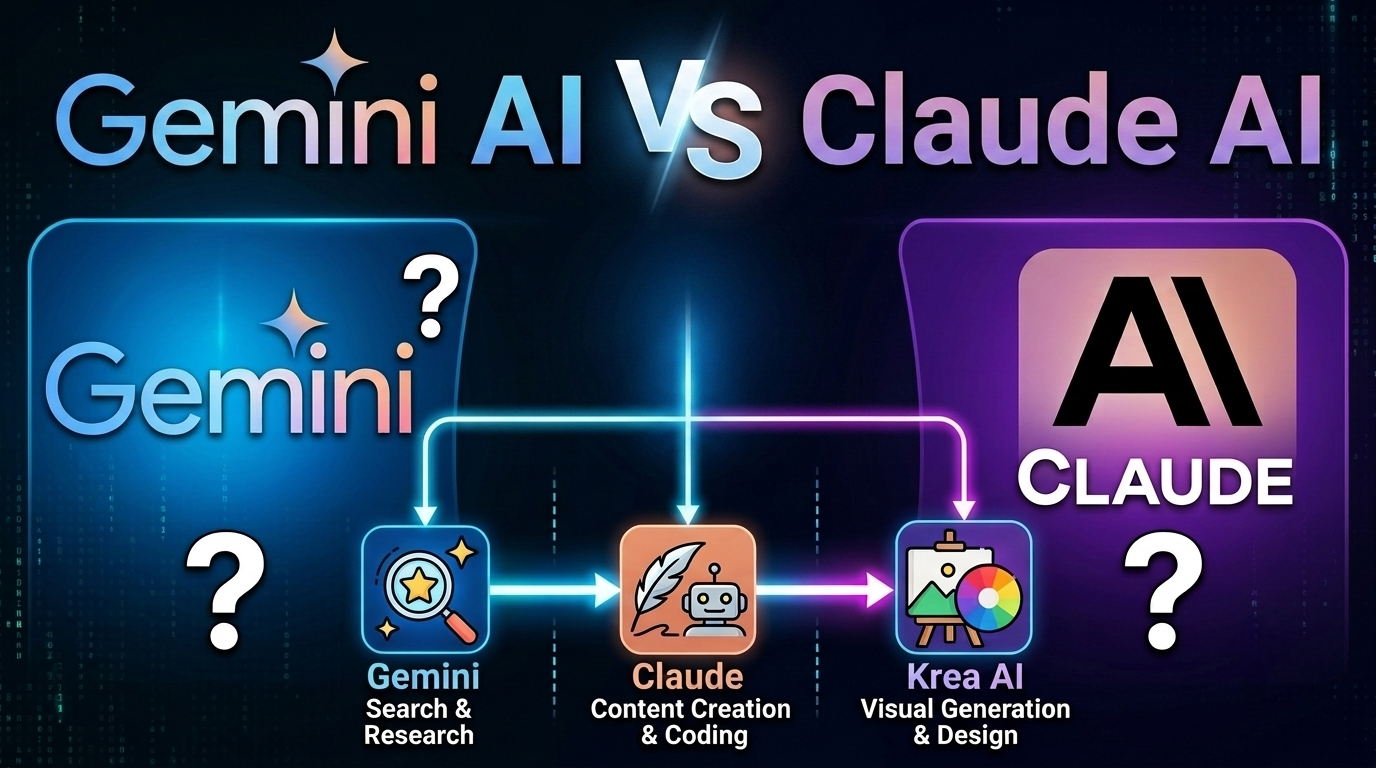
4. Practical Workflow Steps: How to Combine the Three Tools in One Project?
To get the most out of these tools without distraction, you can rely on a sequential action plan that takes your project from initial idea to professional final product:
[ المرحلة 1 ] [ المرحلة 2 ] [ المرحلة 3 ]
Google Gemini AI Claude IA Krea AI
(البحث والجمع اللحظي) ───────► (الصياغة والتطوير العميق) ───────► (الإخراج والتصميم البصري)
First Step in Deciding Between Gemini AI or Claude AI: Planning and Field Collection via Gemini
- Open the Gemini platform and start a comprehensive search on the desired topic.
- Ask it to summarize the top 3 specialized video clips and extract the latest statistics and reliable figures from the web.
- Compile this data and initial drafts into a new Google Docs document.
Second Step: Structuring and Deep Drafting via Claude
- Copy the raw material and information you collected and transfer it to the Claude platform.
- Ask Claude to reorganize the material and draft a professional, smooth, accurate, and concise article, report, or project.
- Extract from the final text the main headings and visual ideas that require accompanying designs.
Third Step: Production and Visual Embodiment via Krea AI
- Take the visual concepts you identified and head to the Krea AI website.
- Use the real-time generation feature to embody images that express the essence of the report or article.
- Pass the resulting images through the Upscaler feature to enhance their resolution and add professional details, then embed them into your final project.
Essential Tips for Maintaining Content Quality and Humanity
To ensure your work appears reliable and avoids robotic monotony, always adhere to the following rules:
- Add a Personal Touch: Use AI as a “research assistant” and “first editor,” but incorporate your own vision, field expertise, and unique style into the final evaluation.
- Fact-Checking: Despite the recent accuracy of models, it is still essential to review numbers, dates, and published references to ensure their absolute correctness.
- Prompt Variety: Avoid using the same ready-made prompts always; the more precise and detailed your instructions, the more distinctive and innovative the results will be.
💡 Read also: Prompt Engineering Guide: How to Write Professional AI Prompts for Amazing Results
Ultimately, true evolution in the digital work environment does not lie in continuing the traditional comparison between Gemini AI or Claude AI or searching for a unique, comprehensive tool that performs all tasks on its own. Rather, it manifests in possessing the skill to direct an integrated workflow system; where the Gemini model ensures rapid access to live data and instant search, the Claude platform handles deep thinking, drafting, and programming analysis, while Krea AI provides the refined visual and aesthetic output for the final production.
Discover more from magallati
Subscribe to get the latest posts sent to your email.


